
HPC ROS2 Deployment with RMW Zenoh
Published:
Overview
This tutorial addresses asymmetric network scenarios, such as running ROS2 on an HPC node that is not directly accessible from outside. However, the HPC node can reach external hosts (e.g., a desktop) via TCP but not UDP due to NAT restrictions.
Installation
1. Install ROS2 Humble
Thanks to RoboStack, you can install most ROS2 packages on HPC via conda without root access.
# Create a ros-humble desktop environment
conda create -n ros_env -c conda-forge -c robostack-humble ros-humble-desktop
# Activate the environment
conda activate ros_env
# Add the robostack channel to the environment
conda config --env --add channels robostack-humble
On your local machine, you can use the same steps or install ROS2 Humble through the official installation guide.
2. Install RMW Zenoh
# Install RMW Zenoh
conda install -c conda-forge -c robostack-humble ros-humble-rmw-zenoh-cpp
On your local machine, you can also install RMW Zenoh via apt:
sudo apt install ros-humble-rmw-zenoh-cpp
Configuration
1. On your local machine:
# Switch to RMW Zenoh as the default middleware
export RMW_IMPLEMENTATION=rmw_zenoh_cpp

# Restart the ROS2 daemon
ros2 daemon stop
ros2 daemon start

# Run the RMW Zenoh daemon
ros2 run rmw_zenoh_cpp rmw_zenohd
You should see output similar to:
Started Zenoh router with id ...
2. On the HPC node:
# Switch to RMW Zenoh as the default middleware
export RMW_IMPLEMENTATION=rmw_zenoh_cpp

# Set the RMW Zenoh daemon address to the local machine's IP and port
export ZENOH_CONFIG_OVERRIDE='mode="client";connect/endpoints=["tcp/<ip_or_hostname>:7447"]'

# Restart the ROS2 daemon
ros2 daemon stop
ros2 daemon start
Test
Once you complete the configuration above, you can communicate between your local machine and the HPC node through ROS2 topics.
HPC to Local
On the HPC node:
ros2 run demo_nodes_cpp talker
On your local machine:
ros2 run demo_nodes_cpp listener
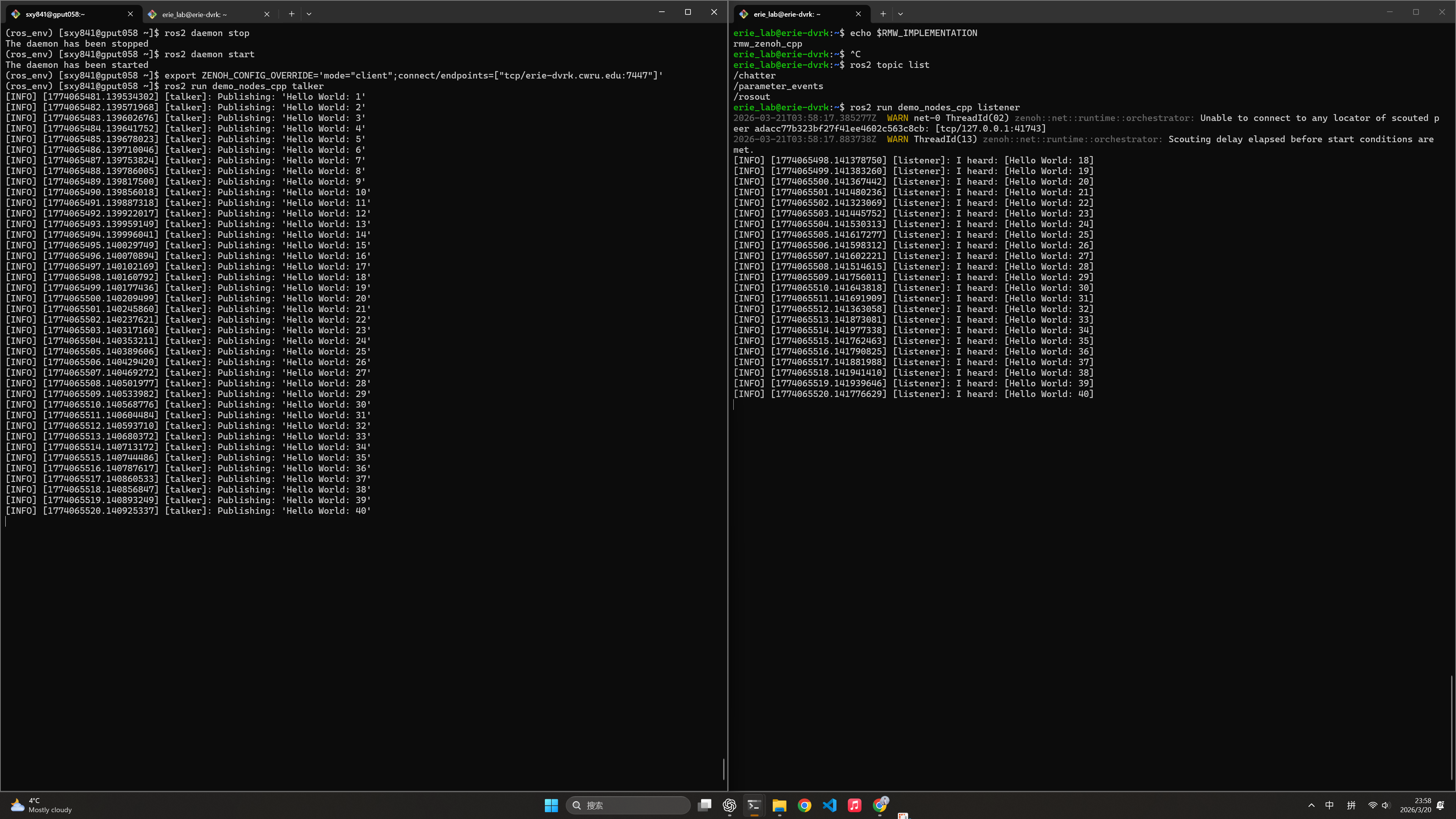
Your local machine should receive messages from the HPC node.
Local to HPC
This example demonstrates a more realistic scenario by publishing camera images from your local machine and subscribing to them on the HPC node.
On your local machine:
ros2 launch dvrk_magewell publish_stereo.launch.py device:=HD
This publishes stereo camera images at 1080P@30Hz. The v4l2 camera publisher automatically publishes camera info and compressed images simultaneously.
On the HPC node:
rviz2
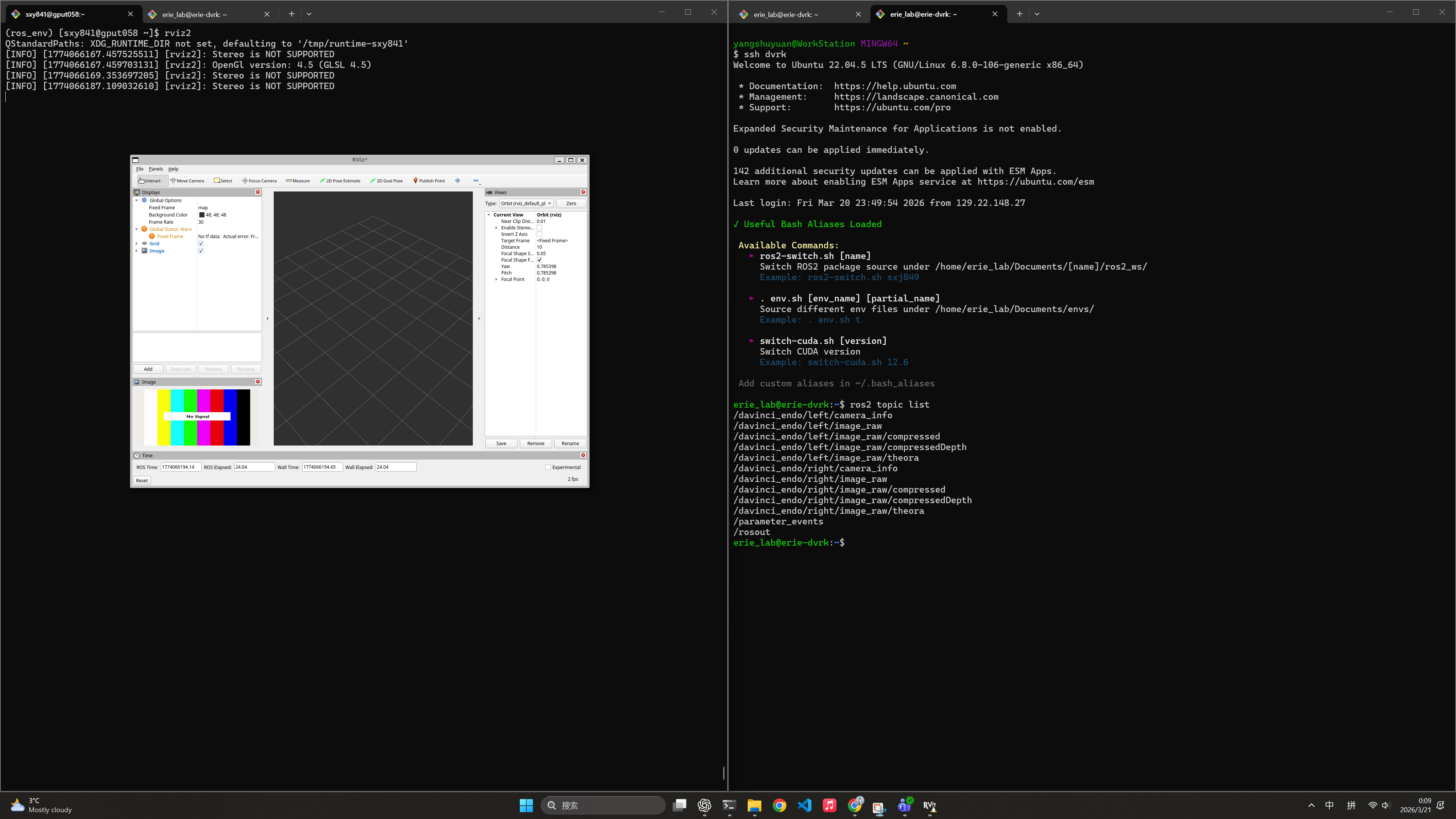
With X11 forwarding, you can visualize camera images in RViz2 running on the HPC node, though the frame rate may not match due to X11 forwarding overhead.
You can test the camera topic frame rate using ros2 topic hz:
# For the raw image topic, expect less than 30Hz at 1080P
ros2 topic hz /davinci_endo/left/image_raw/

# For the compressed image topic, expect around 60Hz at 1080P
ros2 topic hz /davinci_endo/left/image_raw/compressed

# Measure the delay using `ros2 topic delay`:
ros2 topic delay /davinci_endo/left/image_raw/compressed
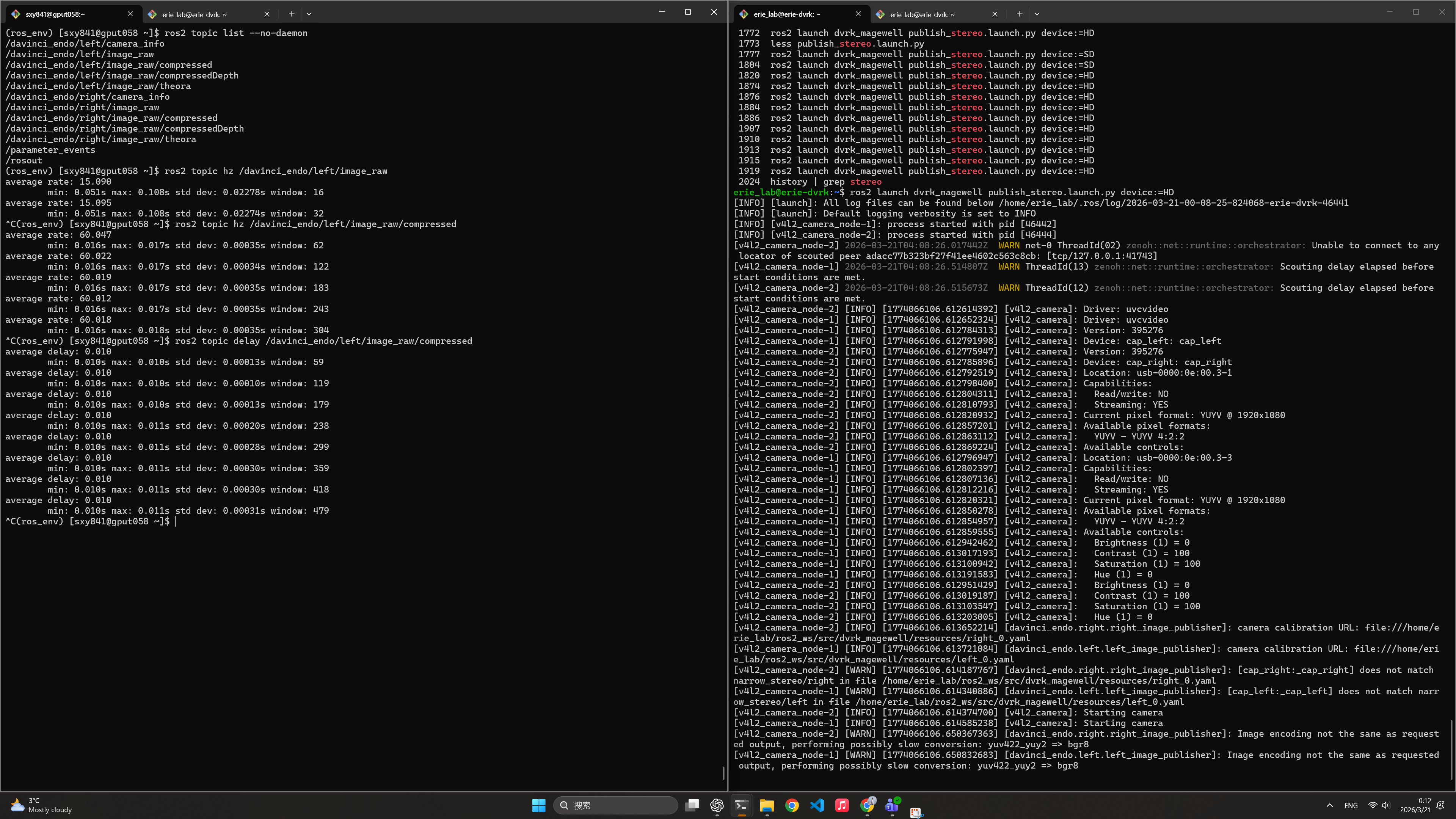
As shown above, the delay is approximately 10ms and stable, which is excellent for this use case.
Applications
It was previously considered impossible to deploy cloud-based ROS2 applications on HPC due to asymmetric NAT and user permission restrictions. With RMW Zenoh and RoboStack, any HPC node can communicate effectively with a local machine that is one-way accessible via TCP. This opens numerous possibilities for HPC ROS2 deployment, such as:
- GPU-intensive inference: Deploy LLMs or VLAs on HPC and access raw data from your local machine connected to a robot. Later, pass inference results back to the local machine for decision-making and control.
- Memory-intensive operations: Deploy one-time, high-VRAM tasks (e.g., SAM-3D) on HPC. This reduces I/O-based communication, making the system more elegant and easier to maintain.
Troubleshooting
1. Cannot receive messages on either side
- Verify that the HPC can access the local machine port:
nmap -p 7447 <ip_or_hostname> - Verify environment variables on both sides:
echo $RMW_IMPLEMENTATION echo $ROS_DOMAIN_ID - Restart the ROS2 daemon on both sides:
ros2 daemon stop
ros2 daemon start
2. Cannot see topics published from the other side
- Use the
--no-daemonoption to run the talker and listener. This bypasses the ROS2 daemon and directly uses the RMW Zenoh daemon for communication. Even if the topic doesn’t appear inros2 topic listwithout--no-daemon, you can still receive it by subscribing directly:ros2 topic list --no-daemon
Summary
RMW Zenoh provides a powerful solution for ROS2 applications in asymmetric network environments where HPC systems are constrained behind NAT firewalls. This tutorial demonstrated:
- Installing ROS2 and RMW Zenoh on HPC systems using RoboStack and conda
- Configuring RMW Zenoh bridging between HPC and local machines via TCP
- Testing basic pub/sub communication patterns
- Real-world scenarios like streaming camera data from local machines to HPC for processing
By following this setup, you can now leverage HPC resources for computationally intensive tasks (inference, processing, simulation) while maintaining seamless ROS2 communication with your local robotic systems.
References
- RoboStack Documentation - Conda-based ROS2 distribution
- ROS2 Humble Documentation - Official ROS2 documentation
- RMW Zenoh GitHub - RMW Zenoh implementation
- Zenoh Documentation - Zenoh protocol and architecture
- ROS2 RMW Implementation Selection - Guide on ROS2 middleware configuration